

Intro
HP introduced the updated 2020 version of the Envy x360 15 with Intel 10th Gen processors and new design features. Aimed at users wanting a modern flexible design, solid build and performance to cover most tasks, whether for working from home to homeschooling. Will you be the envy of your neighbours? Let’s find out.

Design
The Envy x360 15 has a modern, sleek and sturdy design. Chassis rigidity is excellent
and there’s a slightly raised wrist deck that is good for typing. When you apply pressure to the palm rests and keyboard deck there is no flex. The same can be said for the outer display cover.
The dual hinges allow for four modes of viewing. Classic laptop mode, tent, stand and tablet mode. Giving you the flexibility of how you want to use the Envy x360.
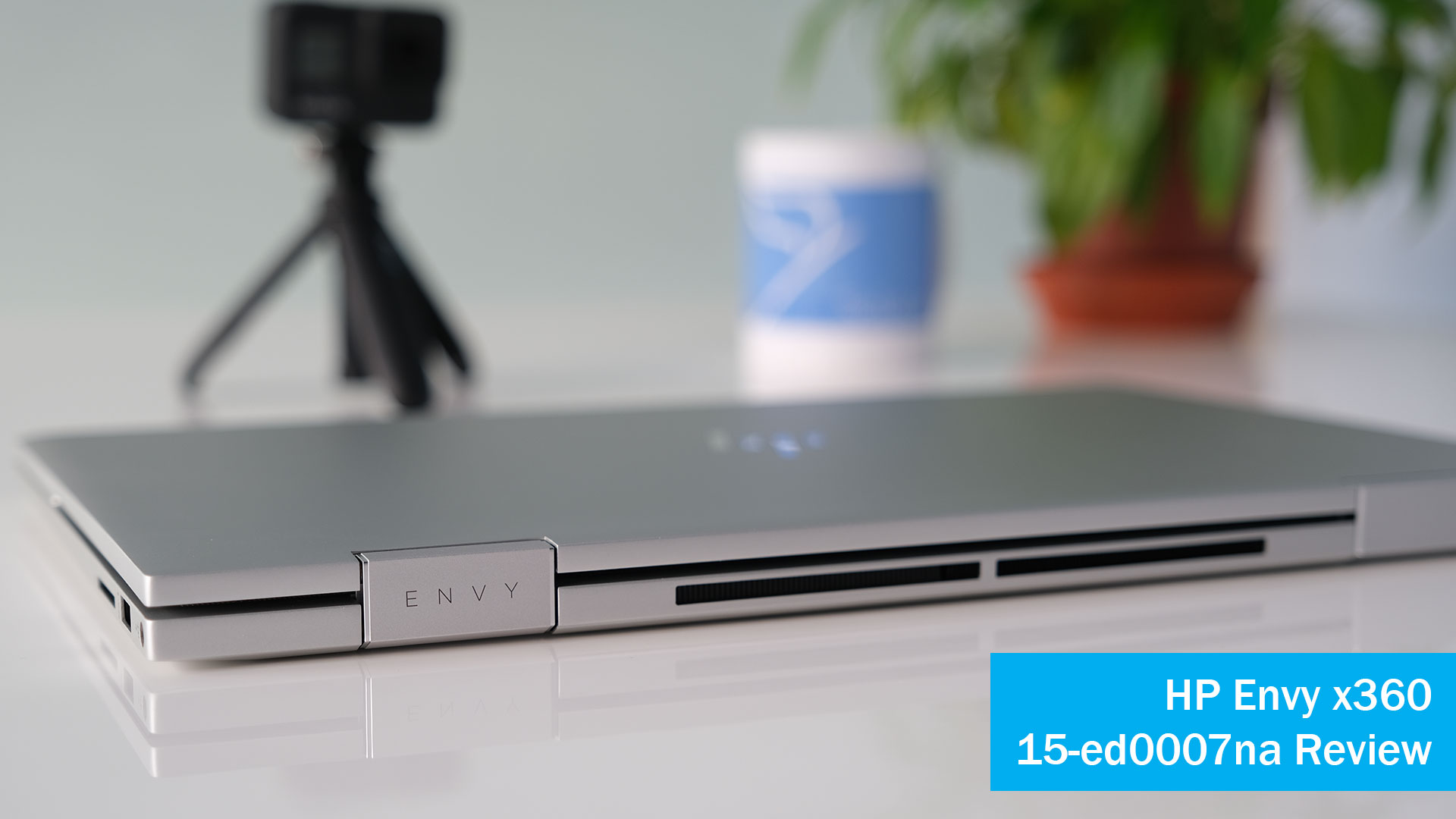
The Envy comes in natural silver aluminium with exhaust grilles along the rear edge between the 360 hinges. It tips the scales at 1.92kg or 4.23 pounds.
The Envy range including the x360 15 have a habit of making it difficult to open up the maintenance cover underneath the laptop. To gain access to the internals, you have to remove the front and rear rubber foot strips to reveal the six hidden screws and one screw at the bottom of the cover.
There are two memory modules beneath the shield for DDR4 upgrade options. You can also upgrade the M.2 SSD by removing the shield. The WLAN card and 51Wh battery are removable too.
Display
This review model has a 15.6” FHD multi-touch IPS display panel. As it’s a touchscreen there is edge-to-edge glass, the downside is the screen is highly reflective with sunlight or office lighting. Therefore it’s not great for outdoors use. Brightness is poor too, rated at 250 nits. It’s only practical on max settings if you crank it down to 50% the display is very dim.
The panel is fine for general usage but don’t expect to use it for colour accurate work as the IPS display is 45% NTSC.

Pen
The HP Rechargeable MPP2.0 Tilt Pen that is included with the Envy is comfortable to hold and use on the touchscreen. The tilt feature allows shading effects at an angle. Response times and screen delay is extremely fast.
There are two buttons on the pen, the lower button is used for erasing and the top button is used for right click functions by default.
Charging is taken care of with the built-in USB-C port. Battery life is around 30 days with moderate use. Unfortunately the Envy x360 doesn’t have an integrated pen recess holder.
Connectivity
On the right we have the AC power, USB 3.1 Gen 1 Type-A 5Gbps signaling rate (HP Sleep and Charge), and a multi-format SD or Micro SD media card reader. On the left we have a headphone/microphone combo, HDMI 2.0, USB Type-A 5Gbps, USB Type-C® 10Gbps signaling rate (USB Power Delivery, DisplayPort™ 1.4, HP Sleep and Charge)
Wireless connectivity is taken care of with the Intel® Wi-Fi 6 AX201 (2×2) and Bluetooth® 5 combo card. Wireless coverage and speeds were excellent during testing thanks to the 2×2 antennas and AX201 chipset.
Keyboard & Touchpad
The keyboard on the Envy is a full-size island-style, natural silver keyboard with a useful numeric keypad. Key travel is 1.5mm and the individual spaced out keys are good for touch typing and typing long documents. There’s two levels of backlighting for working in low light situations.
HP has for 2020 a new keyboard layout integrating the power on/off and mic on/off buttons along with the fingerprint reader into a clean flow. It does take getting used to especially finding the power button for the first time. Luckily this is disabled while you are working as it is placed next to the delete key.
There’s a lovely large touchpad with a smooth glide action and Microsoft Precision driver support. Multi-touch gesture on the touchpad is excellent thanks to the generous height. The two integrated buttons have good feedback and are not too nosy.

Audio & Webcam
The three speakers are tuned by Bang & Olufsen. A subwoofer is positioned under the right hinge and two underneath. Sound gets muted if you have it on a sofa or bed, blocking the two speakers. Audio is decent in general with the usual lack of bass.
The 720P wide angle webcam has a 88 degree field of view with integrated dual array digital microphones. The webcam doesn’t offer the greatest capture quality, but is still more than adequate for business meetings and friend catch ups. New for 2020 is the electronic privacy shutter button positioned in the keyboard layout. One press of the button and the webcam is turned off.
Performance
This review model has an Ice Lake Intel® Core™ i7-1065G7 running four cores at a base frequency of 1.3Ghz up to 3.9 Ghz Turbo Boost. TDP is specified at 15 watts. Along with 16GB DDR4 dual channel memory and 512 GB PCIe® NVMe™ M.2 SSD, the Envy x360 15 has plenty of grunt for most power user tasks. Web browsing, basic editing, and multimedia consumption is a breeze on the laptop. The Envy x360 does handle heavy computing as well, with both photo and video editing also handled quite effectively by the CPU.
Benchmark results show the i7-1065G7 is one of the fastest processors on the market beating even some 45 watt Intel Core-H processors. However AMD has the advantage with their Ryzen 4000 series U processors. For example if you compare the i7-1065G7 with the 6 core AMD Ryzen 5 4600U, the Intel CPU has a slight upper hand in single core benchmarks but AMD naturally pulls away in the multi core test results.
The Envy x360 gets hot in the middle of the keyboard and speaker grille all the way to the left. Not one to use on your lap as it gets too hot.
The fan is constantly on while taxed with a pulsing fan noise. You can reduce the fan noise at the HP command centre, but at the cost of performance.
Graphics
Graphics is handled by the integrated Intel® Iris® Plus Graphics. The performance should be slightly above an AMD Radeon RX Vega 10 integrated GPU in the Ryzen 7 3000 series processors. With its 64 graphics processing cores, it offers superior performance to older generation onboard graphics solutions from Intel like the UHD 630.
Gaming
Iris Plus (G7) is still a basic graphics processor with performance way below the gaming-class notebook video cards. It’s aimed at light games, with the possibility to run some demanding games on low in-game graphics detail settings.
It offers casual gaming and entry-level creative work. Keep your expectations low though, as it certainly won’t be able to handle AAA blockbusters or intensive 3D modelling. For example, Flight Simulator doesn’t play well with jerky graphics.
Battery life
The battery inside the Envy is a 3-cell, 51 Wh model. There’s a compact size 65W AC power adapter that supports battery fast charge. Expect approximately 50% in 30 minutes. Battery life with general use at 80% brightness is around 8 hours. Running heavy tasks reduces this down to 4 hours max.

Security
For a consumer laptop, HP has managed to provide a few useful security options. A webcam electronic shutter button, fingerprint reader and microphone mute button to give one peace of mind with privacy concerns.
Top 3 Pros and Cons before buying the HP Envy x360 15-ed0007na
Upgrades – Get past the rubber feet to open the bottom cover and you have decent upgrade options. Two memory modules, M.2 SSD, WiFi card and a removable battery.
Build Quality – The Envy x360 15 has excellent build quality and chassis rigidity. It’s not light but has a reassuring quality when you hold it.
Privacy features – For peace of mind especially if you are working from home, there is a simple press of the button to turn the webcam microphone off and another to close the shutter.
Weak Hinges – When using the touchscreen, whether with your finger or the pen, the screen wobbles too much. It could do with strengthening for the next model.
Fussy USB Port – To access one of the USB Type-A ports you have to open the flap that covers half the port. It’s a bit of a pain to access compared to the full size USB port on the other side of the laptop. Plus there’s a question mark over the long term reliability of this flap.
Poor screen – For a laptop that is over £1,100, the display choice from HP is strange.
Poor RGB balance and gamma and the colour accuracy remains average. Add to the reflective glossy touchscreen and weak brightness levels.
Competition
If you were in the market for a mid-range 15.6” laptop, what other laptops would you be looking at. In no particular order here are some to consider.
Lenovo Yoga C740 15 inch
Dell Inspiron 15 7000 2-in-1 (11th Gen)
Acer Spin 5
Asus ZenBook Flip 15
HP Envy x360 Ryzen Edition
Summary
The Envy x360 15 2020 is aimed at power users who want a stylish and well built laptop. For the most part it succeeds. There’s a good processor, plenty of memory and storage, good battery life, a handy tilt pen and touchscreen.
However it is flawed in a few areas. Why should you buy this Intel variant if the AMD powered model has superior performance? Also consider that the Intel 11th Gen i7-1165G7 CPU is out anytime now. The 15.6 inch model is too heavy for tablet mode, would you be better off getting the lighter 13.3” version? The weak screen option lets the side down for the Envy x360. It’s not particularly bright, highly reflective and colour accuracy is poor.
Overall it is a good laptop for office or working for home use but you can probably find stronger alternatives if you shop around.
What do you guys think? Leave your comments and discuss below.
Hope you guys enjoyed the review of the HP Envy x360 15-ed0007na laptop? If you would like to purchase this laptop, please contact us using the contact form, web chat, or telephone 01335 81 80 81 (UK Only)