


Intro
HP have freshen their ZBook mobile workstation range with the new ZBook Power G7 that is the successor of the popular ZBook 15v we reviewed two years ago. The Power G7 is targeted at an affordable price point but offering much of what you will find in the more expensive, Fury G7. Have corners been cut? Let’s find out.

Design
The ZBook Power G7 has an all-aluminum dark grey chassis and MIL-STD 810H durability. It feels solid with no flex but there is a creaky sound when pressed hard on the keyboard deck and bottom cover where it’s made of plastic. There’s some movement on the display lid, but the panel looks to be well protected.
In a COVID-19 world, the ZBook can be wiped down with select household wipes up to a thousand times.
Starting at 1.89 kg or 4.17 pounds, it’s slightly heavier than the ZBook Studio G7 I reviewed a month ago but far lighter and smaller than the 2.35kg Fury G7 workstation beast. Not one to hold with one hand but it is a mobile workstation first and foremost. The 2.28 cm thickness is there to accommodate the upgrade options available.
Talking of which it is straightforward to open the bottom cover, Undo five Philips screws and pop open the cover. There are two memory slots for up to 64GB Non-ECC or 32GB ECC memory. Storage is generous with dual NVMe M.2 SSD slots, up to 2TB for each drive. The 83 Wh battery is removable too.
Display
The 15.6″ Full HD IPS display on this review model has excellent colour accuracy with the 100% sRGB. Vivid colours and deep blacks. Viewing angles as you would expect from an IPS panel are very good. Thanks to the generous 400 nits brightness levels and anti-glare coating, there’s no problem using this under office lighting or outdoors in sunlight. Full HD is a good compromise if you want battery life over an energy sapping 4K screen.

The display lid folds down to 180 degrees flat, perfect for finding the optimal viewing angle or collaboration work with colleagues.
The bezels around the display are not offensive, OK it’s not in the same level as the Dell Precision 5750 with thinner bezels.
Connectivity
On the left side we have a nano Kensington Lock, one gigabit RJ45 ethernet port, USB Type-A 5Gbps with charging, HDMI 2.0, and a smart card reader. On the right we have a AC power connector, one Thunderbolt™ 3 Type-C® with DisplayPort™ 1.2, two USB Type-A 5Gbps, headphone/microphone combo.
Wireless connectivity is provided by the Intel® Wi-Fi 6 AX201 (2×2) and Bluetooth® 5 combo card. Wi-Fi connection was impressive over two floors during testing with a Wi-Fi 6 access point. We had no problem using an external Bluetooth mouse or cordless headphones with the Power G7.
Keyboard & Touchpad
The collaboration keyboard is very good with full size keys and two level backlit keys. It’s not as quiet as the ZBook Studio G7 keyboard, so might not be suited for uber quiet environments. A separate numeric keypad is useful for accounts or mathematical tasks.
The keyboard has a drain hole, so minor spills flow out of the bottom vent cover. HP has included a programmable key to open a website, application folder or file as a shortcut.
The off centre large clickpad has plenty of space for finger gestures on the smooth surface. The integrated dual buttons have a clicky noise when used but it’s not the worst I’ve tested.
Audio & Webcam
HP audio is covered by dual stereo speakers above the keyboard. Audio is average at best. No tuning from B&O. Coming from a high bar set with the ZBook Studio G7 I reviewed earlier, it lacks the low frequency bass and depth. Voice sounds a little muffled but most people will find the speakers more than acceptable, whether it’s a conference call or watching catch up streaming TV. Plus there’s always headphones, corded or Bluetooth connected.
The dual array digital microphones sit either side of the 720p HD camera, ambient light and IR sensors. A camera privacy cover ensures you aren’t being watched while the camera is not used. As for the webcam, is the usual synopsis, poor quality with fuzzy and washed out colours.
Performance
On this test model we have an Intel® Core™ i7-10750H running at a base clock of 2.6 GHz, up to 5.0 GHz with Intel® Turbo Boost Technology. The 6 core CPU runs at a TDP of 45 watts. If your enterprise requires the vPro feature, you need the newer i7-10850H.
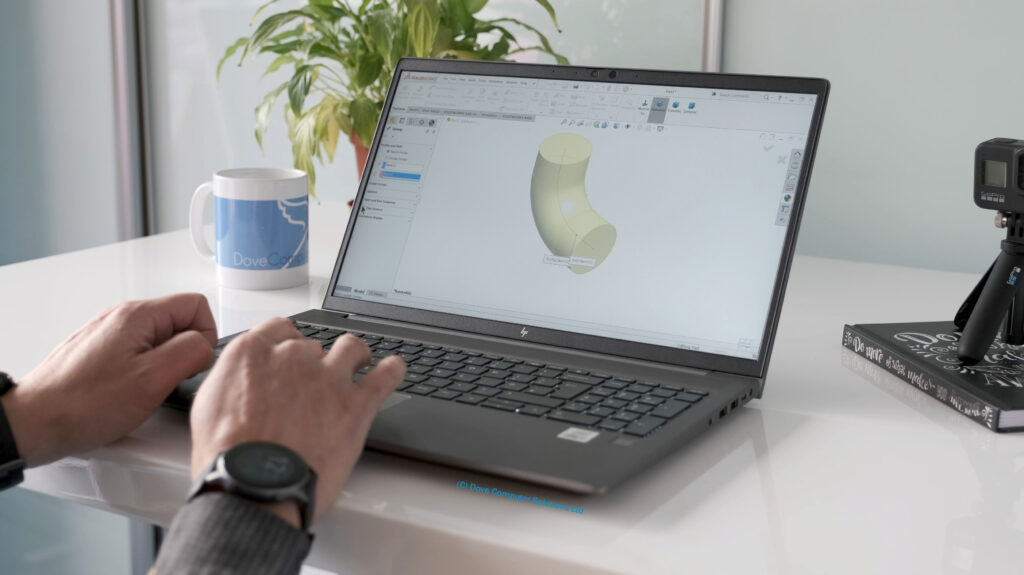
Along with a single stick of 16 GB DDR4 RAM and a 512 GB PCIe® SSD, everything runs smoothly and rapidly. Multiple browser tabs, YouTube streaming, Office apps and Teams open was effortless. But of course, the Power G7 as the name suggests is aimed at heavier tasks like Adobe Creative Cloud, AutoCAD and Solidworks. Even with the test model specs, the Power G7 blasted through these apps with no issues.
Benchmarking results show positive scores. Cinebench R23 testing produced a score of 5127 multi-core and 1138 in single core. 3DMark results came in with a CPU score of 4472 and a graphics score of 2950. PCMark 10 had an overall score of 4247 and Superposition resulted in a score of 5536. Geekbench 5 multi-core score of 4461 and 1191 single core.
Against the 8 core AMD Ryzen 7 4800H, the i7-10750H stays ahead in single core benchmarks thanks to its higher turbo boost frequency. However the AMD 4800H races ahead in multi-core tests in part to the two extra physical cores.
Handbrake tests places the i7-10750H towards the top of the pack but beneath the AMD Ryzen 9 4900HS and 4800H.
Battery only performance takes a hit with thermal management. To get maximum performance plug into the mains.
The dual fans can get noisy when under heavy load. When downloading and installing applications, the fan kicks in, but it’s a quiet humming sound.
The Power G7 can get warm to the touch at the top and bottom of the chassis, but it’s not stupidly hot. The thermals and fans do a good job of blowing the hot air out of the large vents between the chassis and display. As the cold air is sucked in from the bottom, it’s not a good idea to use this laptop on your lap.
Target Audience
Here’s a list of the target audience for the HP ZBook Power G7.
Students – AutoDesk Revit, Solidworks
Product Developers – SolidWorks, AutoDesk AutoCAD, Solid Edge
Architects & Construction Managers – Revit, SketchUp, AutoCAD, AutoDesk Civil 3D & Navisworks
Graphics
This review model has an integrated Intel UHD Graphics 630 and a dedicated NVIDIA® Quadro® T1000 with Max-Q Design, 4 GB GDDR6 memory. The Max-Q variants are clocked lower and work in a more efficient state. Based on the Turing architecture, the T1000 with Max-Q Design sits below the comparable GeForce GTX 1650 Mobile GPU.
If you need more graphical power, the ZBook Power G7 goes up to a NVIDIA Quadro T2000 dependent on your country. The big boys like the Quadro RTX 3000 to the RTX 5000 16GB beast are reserved for the Fury G7 15 and 17 inch models.
Gaming
The T1000 will play games at medium to high settings at 1080P with ease. Battlefield V, had really good detailed graphics and frame rates on average 50 fps. The GPU handled Forza Horizon 4 and titles like No Man’s Sky with no issues. Even Microsoft Flight Simulator that tends to tax most GPU’s, the T1000 showed the scenery smoothly and with some detail.

Security
Typical HP, the Power G7 is loaded with security features. On the hardware front, we have a webcam privacy shutter, a HP FingerPrint Sensor and a Trusted Platform Module TPM 2.0 Embedded Security Chip.
System safeguards like HP Sure Start Gen6 protects against firmware attacks and accidental corruption. HP Client Security Manager Gen6 hand holds you into securing your ZBook.
HP Sure Click protects against phishing websites and malware on your browser. HP Sure Sense scans for malware variants much like an antivirus tool.

Battery Life
The ZBook Power G7 has a large 6-cell, 83 Wh battery. In testing, battery life on average is solid at around 8 to 9 hours with general usage like web surfing, YouTube, music streaming and Google Docs. Heavy demanding CAD and 3D work expect around 3 to 4 hours.
The 150 W Slim Smart external AC power adapter has a fast charge feature. Zero to 50 percent in just over 30 minutes.
Top 3 Pros and Cons before buying the HP ZBook Power G7
Delicious Display – The IPS FHD 400 nits display panel is the pick of the bunch. Gorgeous vivid colours, excellent viewing angles and a bright screen for outdoor usage. Don’t touch the cheaper 250 nits model with poor colour accuracy unless you will be using the Power G7 with external monitors all the time.
Incredible Value – For a price of £1,229 or $1680 plus taxes, the ZBook Power G7 has everything you need and more. Top end hardware specs to get through heavy tasks and great upgrade options. Pay the extra £80 for the Quadro T1000 over the much weaker Quadro P620 GPU.
Compact Dimensions – The ZBook Power G7 strikes a good balance in fairly slim workstation dimensions but keeps thermals in check with the power consuming CPU and GPU specs, so it doesn’t feel like you are dragging a ball and chain around with you.
No Quadro RTX Options – If you need more graphical power, the Power G7 is not available with the high-performance Quadro RTX GPUs, but is instead limited to the Quadro T2000, T1000, or P620 GPU’s. Look at the Fury G7 for higher end GPU’s.
One Thunderbolt 3 Port – HP has limited the Power G7 with one Thunderbolt 3 Port whereas its more expensive cousins, the Fury, Studio and Create G7 have two Thunderbolt 3 ports.
Average Audio – HP have kept costs down with the Power G7 by giving it average speakers noticeable if you are trying to listen to a tutorial video or music streaming. Thank goodness, there is the headphone jack or Bluetooth 5 for connecting an external speaker or headphones.
Competition
There’s healthy competition in the value mobile workstation category. What are the alternatives to the HP ZBook Power G7? In no particular order here are some to consider.
Dell Precision 5550
Lenovo ThinkPad P1 Gen 3
Apple MacBook Pro 16 inch
MSI WF65 10TI
Summary
If you have been put off getting a gaming laptop to get the price performance you need for CAD, 3D modelling, programming or Adobe Creative Cloud tasks, the HP ZBook Power G7 hits all the right buttons.

For starters, its enterprise level build is backed by a three year warranty. The compact dimensions make it comfortable to move around without compromising on thermals and performance. The display is wonderful to use all day and colour accuracy is impressive.
The NVIDIA Quadro T1000 Max-Q edition is a useful GPU that will handle most work tasks and play a few 1080P gaming titles after hours with ease. Thanks in part to the Max-Q GPU and low power IPS display, battery life will last you most of your working or educational day.
Upgrade options are excellent, none of this soldered on rubbish. Two SODIMM slots for up to 64GB DDR4 memory and two, yes two M.2NVMe drives. Allowing you to easily and cheaply upgrade when you need it.
The HP engineers have stripped down where it matters the least in the form of the poor webcam, one Thunderbolt 3 port and speakers.
If you are after the best value, bang for buck mobile workstation, the HP ZBook Power G7 won’t disappoint.
What do you guys think? Leave your comments and discuss below.
Hope you guys enjoyed the review of the HP ZBook Power G7 laptop?